Running a local model asks two different questions: is there enough working memory, and is it responsive enough for your task? A model that loads successfully can still feel slow.
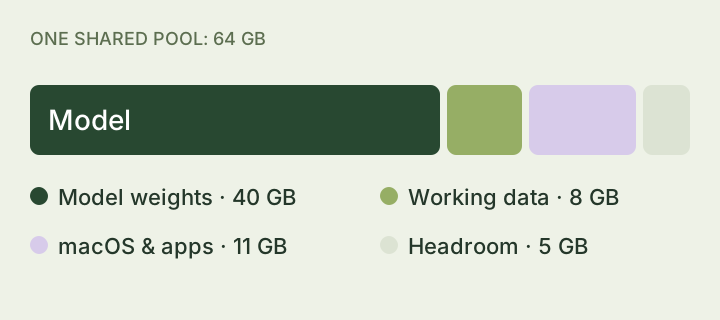
Storage is the shelf. Memory is the desk.
Your SSD stores the download. RAM holds programs and data while they are in use. A dedicated GPU usually has its own memory, called VRAM. On Apple silicon, unified memory is shared by the CPU, GPU, macOS, and other apps.
Leave space beyond the model
The model weights are only part of the memory budget. The software needs working space too. Many models keep a KV cache to reuse earlier calculations; longer context increases that cache. Its size and behavior depend on the model and runtime.
Two kinds of waiting
Time to first token is the wait before the answer starts. Tokens per second describes how fast the answer streams once generation is underway. A long input can take time to process even when the answer then appears quickly.
A simple speed example
At 20 tokens per second, 200 generated tokens take about 10 seconds. If it takes another 5 seconds before generation begins, the total is about 15 seconds. That arithmetic is an illustration, not a benchmark for your machine.
Try this
Run a short question with your usual apps open. Then try a longer document. Compare memory pressure, the delay before the answer starts, and whether the speed is comfortable for you.
Compare benchmarks only with their hardware, model version, quantization, software, and context attached. Memory fit alone cannot predict speed.
Sources & further reading
These references go into more detail; some are written for developers.